In-Class Activity 4: The Home Page:
Objective: Create a home page for the Code Journal project.
Description: Define the URL for the home page for the Code Journal project, write its view function, and create a simple template.
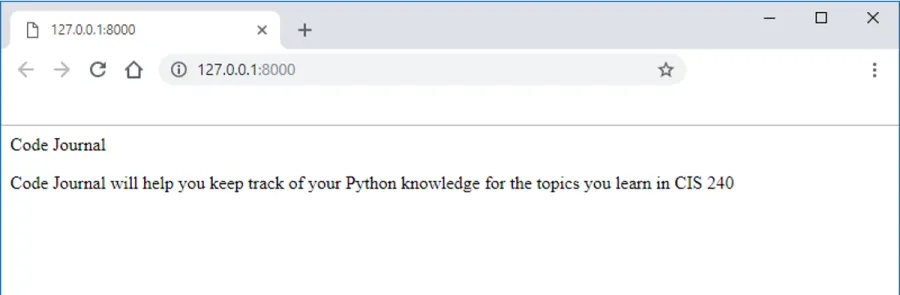
- Make a copy of your Activity3 folder and name the folder Activity4-TheHomePage. After the activity is completed, take a screenshot matching the solution image below and submit it to the first quiz question on Canvas.
- Navigate to the directory that contains manage.py and open the folder in VS code.
-
Map the URL.
- Currently, the base URL for the project, http://localhost:8000/ returns the default Django site. Modify the urls.py file by mapping the base URL to Code Journal’s home page.
- Don’t forget to make a second urls.py file in the code_journals folder.
- Currently, the base URL for the project, http://localhost:8000/ returns the default Django site. Modify the urls.py file by mapping the base URL to Code Journal’s home page.
-
Write a View function.
- Navigate to the views.py file to write a function called
index()
- Navigate to the views.py file to write a function called
-
Follow the “How to Write a Template” steps to set up the correct project folder structure.
- Create the html file called, index.html so that when we request the project’s base URL, http://localhost:8000/, we’ll see the resulting page: