In-Class Activity 10: Django with Bootstrap:
Objective: Learn how to use the Bootstrap CSS Framework and Bootswatch themes to style your web app.
Description: Use django-bootstrap5 and apply a Bootswatch theme to style both the base.html and index.html templates.
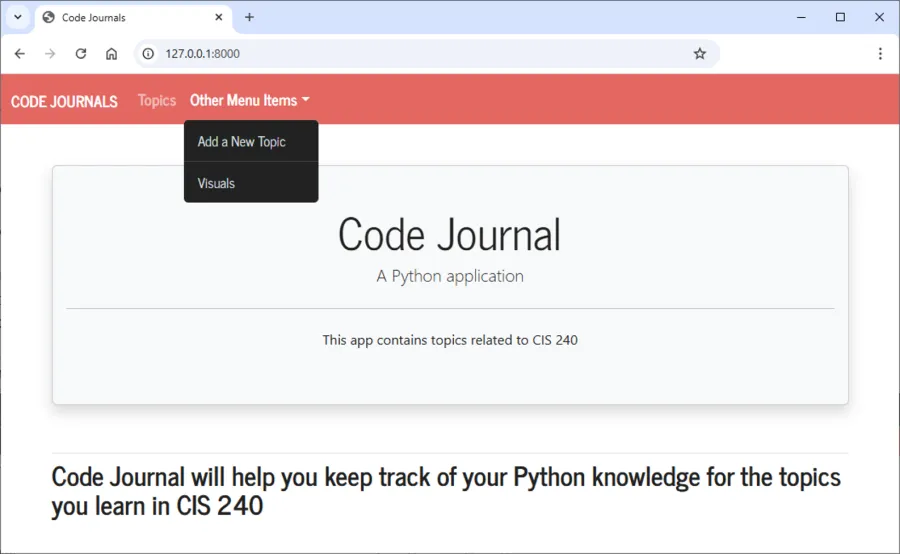
- Make a copy of your Activity9 folder and name the folder Activity10-DjangoWithBootstrap. After the activity is completed, take one screenshot that matches the solution image below from Part 2 and submit it to the first quiz question on Canvas.
- Navigate to the directory that contains manage.py and open the folder in VS code.
Part 1: Applying Bootstrap
- Once the django-bootstrap5 app is installed, (already installed on VCAT) add the app to the settings.py file.
- Modify the base.html file and define the HTML headers and navigation bar headers.
- Modify the index.html file to include the page header block.
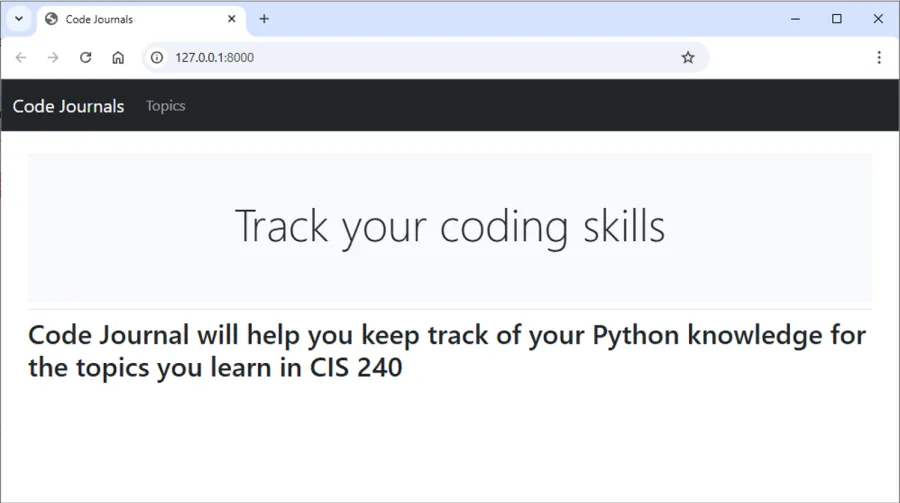
- Once completed, the index page should look similar to the below:
Part 2: Applying a Bootswatch theme (This will be demo’d in class. An instructional video covering Part 2 is also available to reference in the Bootswatch Themes section of our course notebook.)
- Apply a Bootswatch theme to your application from https://bootswatch.com
- Modify the navigation bar to add a drop down menu to display links to the new_topic.html and bar_chart.html pages.
- Use the bootswatch source code to further customize the element in index.html.
- Once completed, the index page should look similar to the below, depending on the Bootswatch theme you’ve chosen:
Vapor Theme
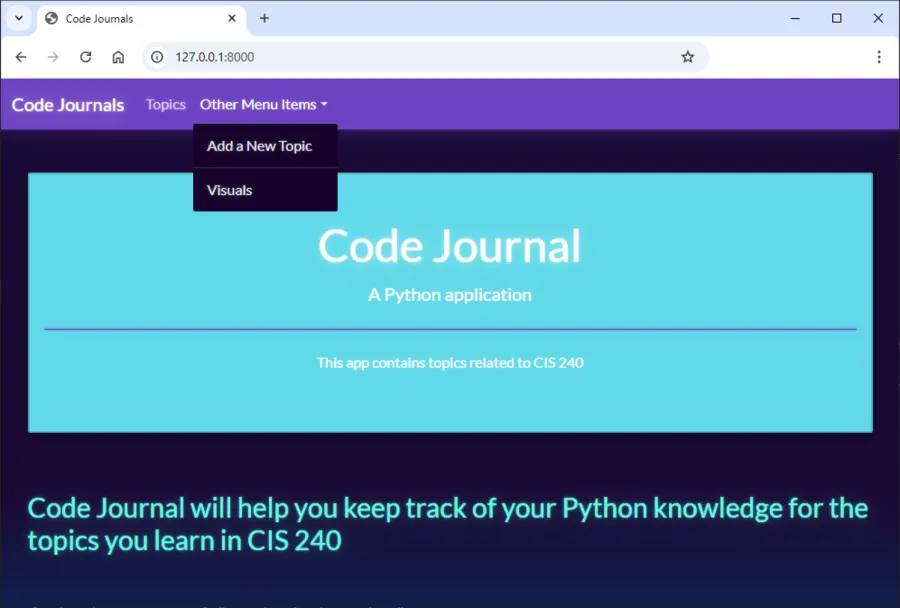
Journal Theme