How to Create a Topics Page?
- The topics page will need to show all topics that users have created, and it’s the first page that will involve working with data.
- Modify the topics URL pattern:
urls.py
10#---snip---
11# Show all topics.
12path('topics/', views.topics, name='topics'),
13]- Above we can add topics/ into the string argument used for the home page URL in line 12.
- When Django examines a requested URL, this pattern will match any URL that has the base URL followed by topics.
The Topics View:
- The topics() function needs to get some data from the database and send it to the template.
- In the views.py file this can be done by:
views.py
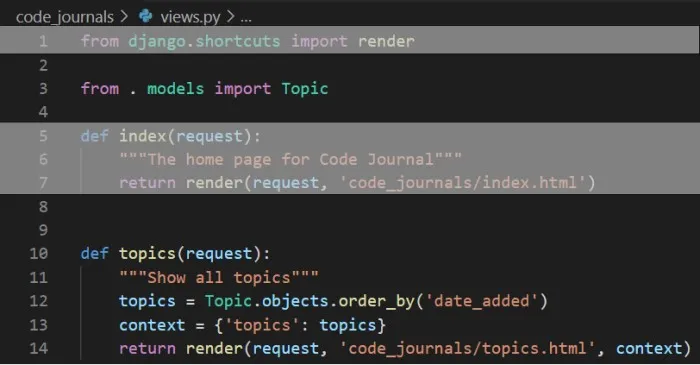
- In line 3, we import the model associated with the data we need.
- In line 10, the topics() function needs one parameter: the request object Django received from the server.
- In line 12 we query the database by asking for the Topic objects.
- In line 13 we define a context that we’ll send to the template.
- Finally in line 14 we pass the context variable to render() as well as the request object and the path to the template.
The Topics Template:
- This template must receive the context dictionary so the template can use the data that topics() provides.
- Therefore, we need to make a file called topics.html in the same directory as index.html
topics.html
-
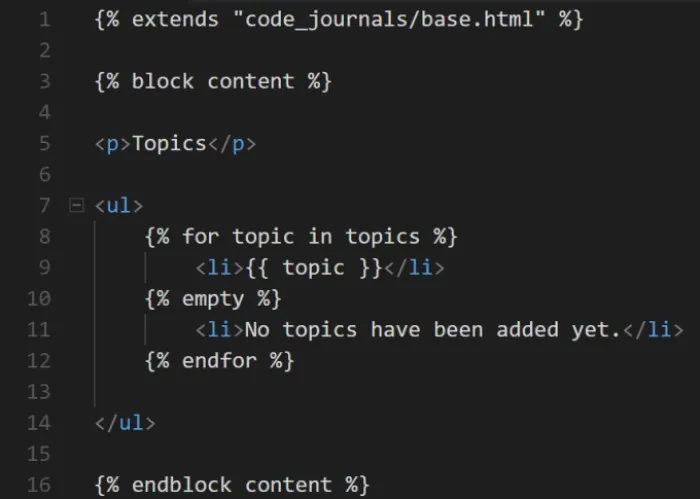
In line 1, we use the {% extends %} tag to inherit from the base.html
-
In the open content block, the body of the page will contain a bulleted list of the topics.
-
Note that on line 7 the
-
In line 8 we have another template tag equivalent to a for loop. This loops through the list topics from the context dictionary.
-
In a template, every for loop needs an explicit {% endfor %} tag indicting where the end of the loop occurs.
-
The code {{ topic }} in line 9 will be replaced by the value of topic on each pass through the loop.
-
Similarly, the {% empty %} tag tells Django what to do if there are no topics found in the list.
-
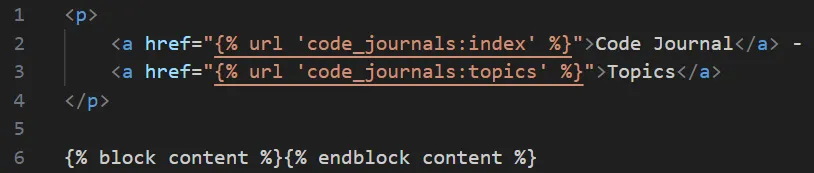
Finally, we need to modify the base template to include a link to the topics page:
base.html
-
In line 3 we tell Django to generate a link matching the URL pattern with the name ‘topics’ in code_journals/urls.py
-
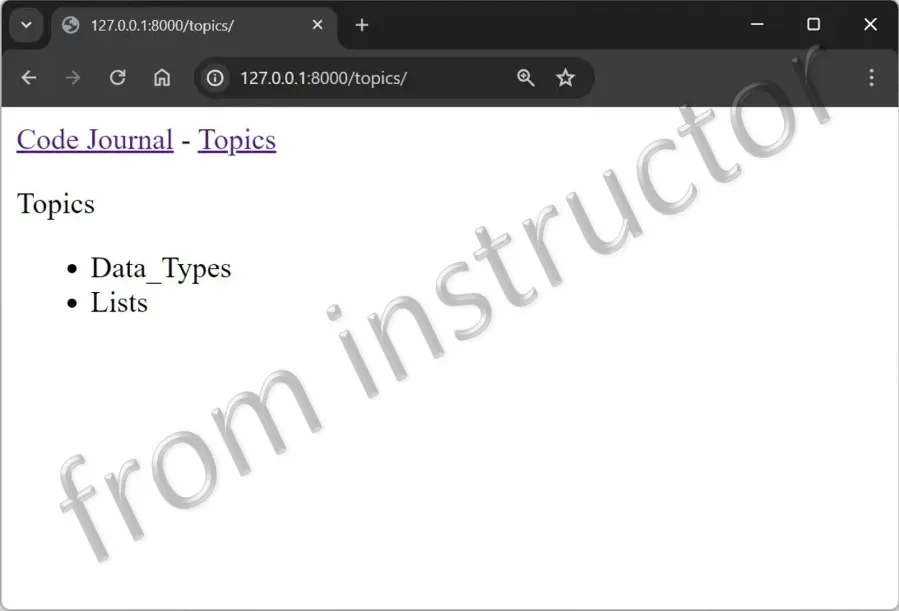
When you navigate to the home page in your browser, you should see a Topics link. Once the link is selected, you should also see a page similar to the below: